Start with an escalation brief. Prepare a draft, pause for the support lead, then post the reviewed handoff in the right room. Each run keeps its steps and outcomes visible.
Mac-only for now. Free during the beta (invite-only).
From context to a reviewed handoff
Put the next step in the process, not in someone’s memory.
Prepare the draft, pause for a decision, and post the reviewed handoff in the right room. Give the next person the context to pick it up.
Source connections → reviewed room output
Prepare the escalation before asking engineering to take over.
01
The current brief
Start with a reported access error and approved knowledge from a resolved Jira issue and the Confluence runbook.
02
An escalation to review
The workflow brings the relevant guidance into a handoff with the symptoms, attempted fixes, and questions for engineering. The support lead checks it before the final post.
03
A room handoff
After approval, the workflow posts the handoff in the selected Them AI room for the next owner.
The retry behavior changed to prevent duplicate work. Confirm the rollout checks with the release owner.
Your team decides the next step
GitHub imports selected repository documents and merged PR bodies. Linear imports completed issue descriptions and documents; workflows do not merge or deploy.
Inside Workflows
A repeatable process, with room for judgment.
Shape the work
Define the handoff before you run it.
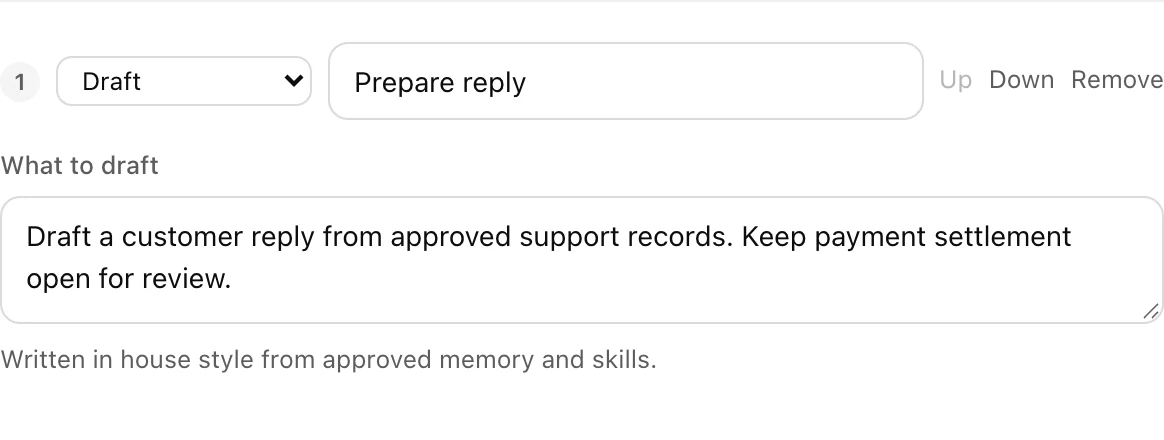
Start with a template or your own sequence. Choose the room and specify the symptoms, attempted fixes, sources and open questions the draft should include.
Define what the first step should prepare.01 / 03
Pause for a person
Put the decision beside the draft.
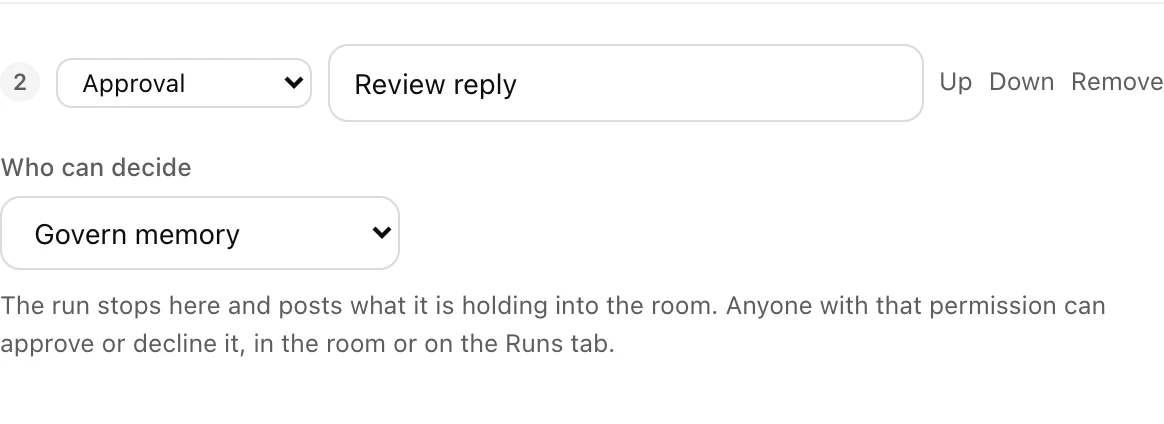
Add a human approval step before the final post. The room shows when a run needs a decision, and a reviewer can inspect the draft before approving or declining it.
Configure a human decision before the final step.02 / 03
Keep the handoff clear
Leave the next owner something useful.
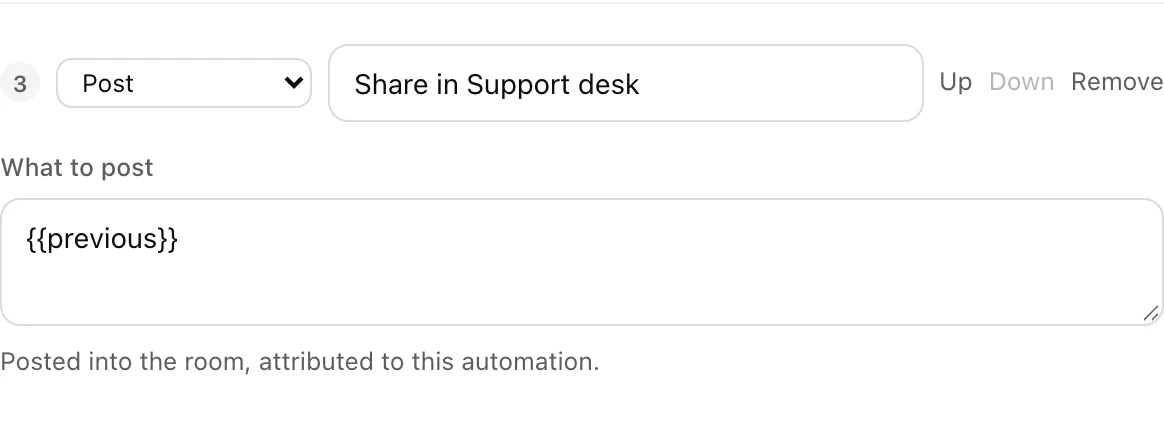
After approval, post the handoff in the selected room. Keep the supporting sources and unresolved checks with it, so the next person knows what to verify and what to do next.
Set the destination for the reviewed handoff.03 / 03
No. Choosing a template opens the builder. You review the configuration before creating or running a workflow.
Can I keep a person at the final decision?
Yes. Add a human approval step before the final post. The draft remains visible while the workflow waits for that decision.
How can I see what happened in a run?
Open the run to see each step’s status, output and any error. A run waiting for approval also appears in its room, with a link to the details and decision controls for an authorized reviewer.
Will a workflow send email or update our CRM?
The final workflow post lands in a Them AI room. Your team reviews it and makes any email, CRM or store update in the existing tool.
Does every result become company memory?
No. Workflow output and approved company knowledge are different things. A person decides what to contribute and approve.
Bring one real workflow
Try it on work your team already does.
Choose one recurring question, bring the source material, and name the person who will review the answer. Start there, then decide what is worth repeating.
Mac-only for now. Free during the beta (invite-only). Have a workflow in mind? Plan a pilot with us.
 Jira
Jira Confluence
 Them AI Prepared for review