
Slack AI alternative
Keep the decision after the thread moves on.
Them AI helps you turn a decision from chat into company memory with sources, an owner, and review status. Bring the relevant notes into a room, review what should be kept, and give the next person a record they can check.
Mac-only for now. Free during the beta (invite-only).
Why choose Them AI
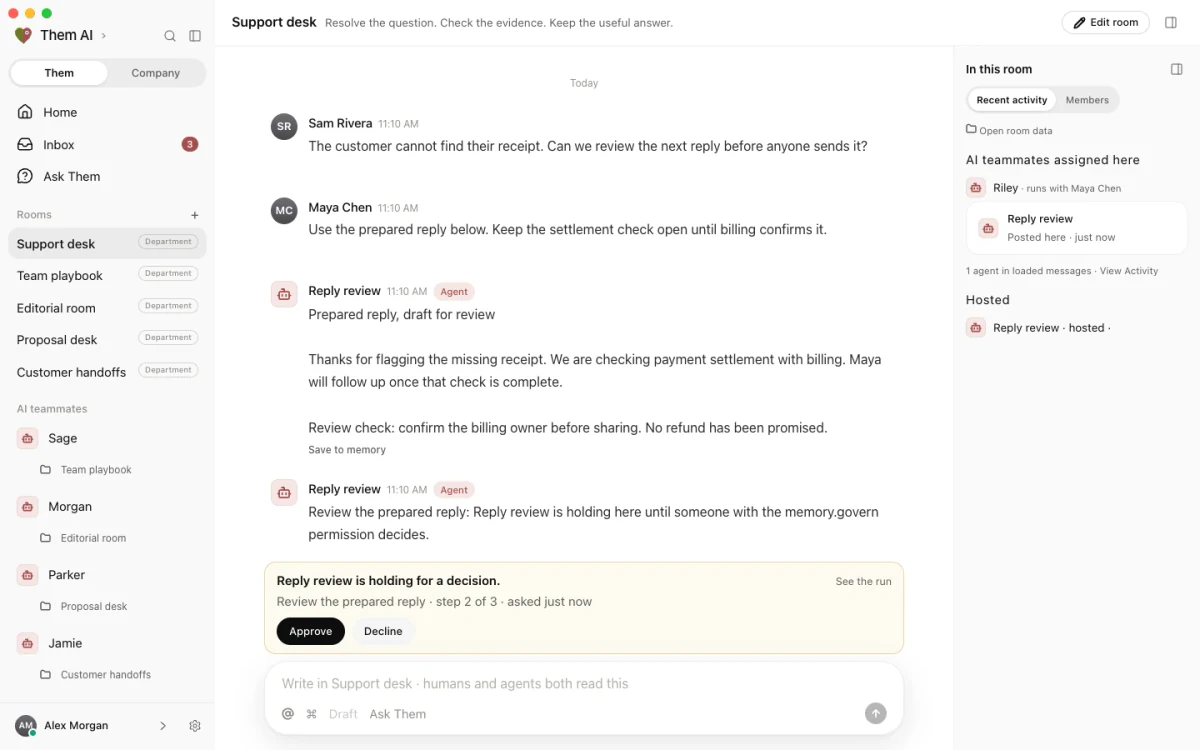
A summary catches you up. A decision needs an owner.
Choose Them AI when the decisions made in chat need to outlast the thread. Keep each decision with its source, its owner, and a review status, then turn the useful method into a skill that people and connected agents can reuse.
See how rooms, memory, and skills work together
A workflow in Them AI
A decision made in a thread becomes a record you can trust.
A question gets settled in a busy channel: which onboarding checklist is current and who owns it. Weeks later a new teammate searches, finds three partial threads, and asks again.
 Knowledge roomShared room
You, with your team
Which of these onboarding checklists is current?
Them AI, with company context
Onboarding checklist v3 is current. The knowledge owner maintains it, and it changed in the access-request thread when the old form was retired. The two older copies in the channel predate that change and should not be used.
Example sourceExample onboarding checklist
 Review with Knowledge ownerAfter approval: Current onboarding checklist and its owner
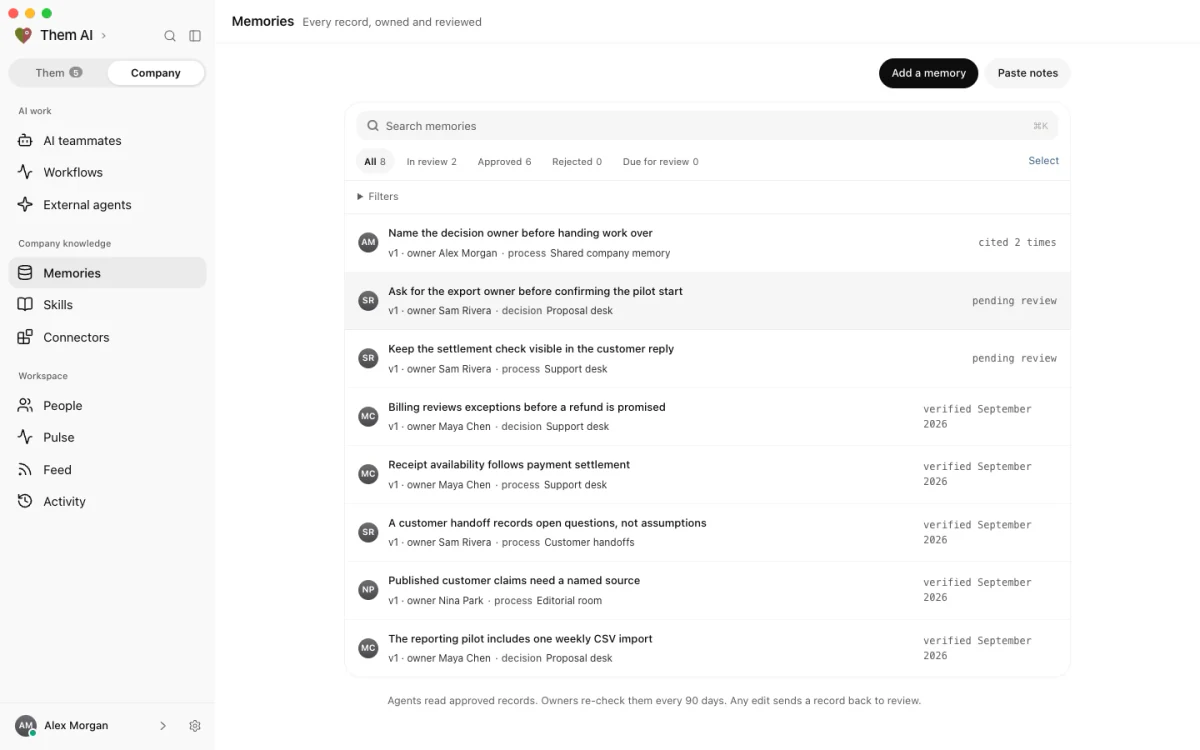
Company memory with record owners and review status.
Copy the permitted conversation notes into a room with the people who made the call. Add the current checklist and ask for an answer grounded in those sources. This does not require a live chat connection.
Record the current checklist and its owner as a draft memory, citing the thread and the document. Review the record before approving it as company knowledge.
Write the steps for updating and retiring a checklist as a skill. Once approved, a connected agent can retrieve the skill and the record through MCP when the question comes up again.
Evaluate the fit
Test the workflow, not just the feature list.
Use the same question and source material in each tool you evaluate. Check the answer, the review step, and what a second teammate can reuse.
| What matters | Them AI | What to test |
|---|---|---|
| The record your team keeps | Rooms hold the shared work alongside your chat tools. Company memory gives a decision a source, an owner, and a draft, approved, or rejected status, so the record outlives the thread. | Supply a conversation and two checklist versions. Can the next person find which checklist is current, why it changed, and who can confirm it? |
| A method another agent can use | Skills preserve a way of working as reviewed steps. Compatible external agents can retrieve approved skills through MCP and run the work in their own tools. | Use the checklist-review skill on a different process. Does it ask for the current source and owner rather than reusing a previous team's answer? |
| Access from other AI tools | An MCP feed with a scoped agent key lets a compatible client retrieve company memory and skills and post into rooms. Client-scoped feeds restrict which approved records the agent can retrieve. | Test with the actual key and MCP client you intend to use. Confirm the permitted records, authentication method, and where the final message will be sent. |
Common questions
Working with Them AI.
Does Them AI replace Slack?
Can my existing AI tools use Them AI knowledge?
How should my team start with Them AI?
Before you evaluate
What to know about the current beta.
AI teammates are built and trained in Them AI. They use their assigned room and approved shared company memory by default. Grant access to additional rooms explicitly. Human access is organization-wide, so only add material every workspace member is authorized to read.
External agents connect through MCP and run in their own tools. The client must support bearer-key authentication. Client-scoped MCP feeds retrieve that client's approved records plus approved company records, excluding other clients. A workspace-scoped key can also retrieve room conversations, including unapproved content.
Native memory version history is not available in the current beta. Keep change notes and previous source versions in your existing document system.
The beta is Mac-only, free, and invite-only. Read the current access boundaries
How to use this guide
Written by Them AI. Updated . This is a guide to evaluating Them AI, not a feature inventory for Slack AI. Use your current requirements to check both products. Slack AI is not affiliated with Them AI, and this page does not establish an integration between them.
More evaluation guides:
Bring one real workflow
Try it on work your team already does.
Choose one recurring question, bring the source material, and name the person who will review the answer. Start there, then decide what is worth repeating.
Mac-only for now. Free during the beta (invite-only). Have a workflow in mind? Plan a pilot with us.