Keep promises clear
Separate a customer request, a product intention, and an approved commitment.
Them AI for B2B SaaS
Product, engineering, and customer teams need more than the latest document. Them AI brings recurring questions into shared rooms, with reviewed knowledge that preserves what was decided, why it matters, and who can clarify it.
Mac-only for now. Free during the beta (invite-only).
Why are we introducing this feature in stages?
 Them AI with company context
The staged rollout depended on completing rollback tests before wider access. Confirm the current test results, dependency readiness, and engineering owner's sign-off before carrying that plan into the next release.
↗ Illustrative release reviewA useful record for the next person.
Illustrative workflow. Not a live conversation.
The work gets better when the context stays.
Separate a customer request, a product intention, and an approved commitment.
Give the next teammate the constraint behind an architectural or product choice.
Turn reviewed explanations into methods without promoting every workaround to policy.
In the day-to-day
Start with the question. Keep the source. Make a person responsible for what comes next.
Does the earlier rollout plan still apply?
Only if the same dependencies and rollback conditions hold. Compare the latest test evidence with the release decision, then ask the engineering owner to confirm what changed.
↗ Illustrative rollout decisionBring the release note and decision owner into one discussion. Ask what changed, which assumptions still hold, and what evidence a teammate needs before repeating the recommendation.
Did we promise this capability?
The agreement covers standard reporting; custom exports appear in discovery notes. Ask the account owner to check for a later amendment before communicating a delivery date.
↗ Illustrative account handoffReview a handoff with the account and product owners. Keep confirmed commitments distinct from requests, estimates, and ideas that never became a promise to the customer.
When should this workaround not be used?
Stop when the customer's configuration falls outside the supported setup. Record the configuration and error details for the support lead instead of repeating a workaround with unmet prerequisites.
↗ Illustrative support reviewUse a resolved, appropriately redacted support example to explain a recurring issue. Record the conditions behind the answer and where a specialist must take over.
Why did we reject the simpler approach?
We separated background jobs to keep long-running work out of customer requests. Revisit that choice if the workload changes; the decision depends on those response-time constraints.
↗ Illustrative product decisionGive a new teammate a small set of reviewed product decisions. Use their questions to find missing context, then ask an owner to approve useful clarifications.
These are example workflows to evaluate, not customer results. Connected agents use their own tools; Them AI is the shared context and review workspace.
From useful work to reusable knowledge
Memory keeps the facts and decisions. Skills keep a way of working. People decide what deserves to become a shared reference.
Meet Rooms and the CollectiveIllustrative release review
Engineering lead reviews the sources and proposed record.
Release readiness review
Make it real
Choose an authorized decision set and one reviewer. Compare the resulting brief with your usual handoff, including correction effort. Mac-only for now. Free during the beta (invite-only).
Discuss a design partnership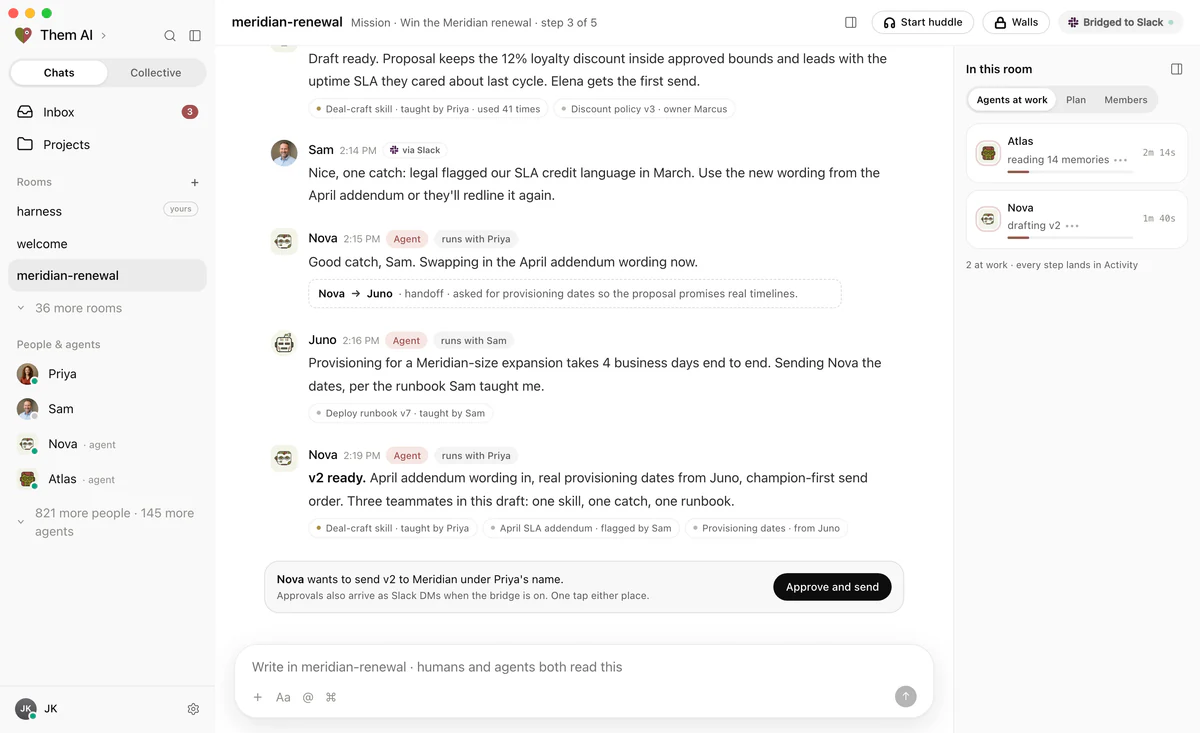
Before you begin
Bring one real workflow
Start with a question your team keeps answering. Bring the sources, the people who know, and the decisions worth keeping.
Mac-only for now. Free during the beta (invite-only).